

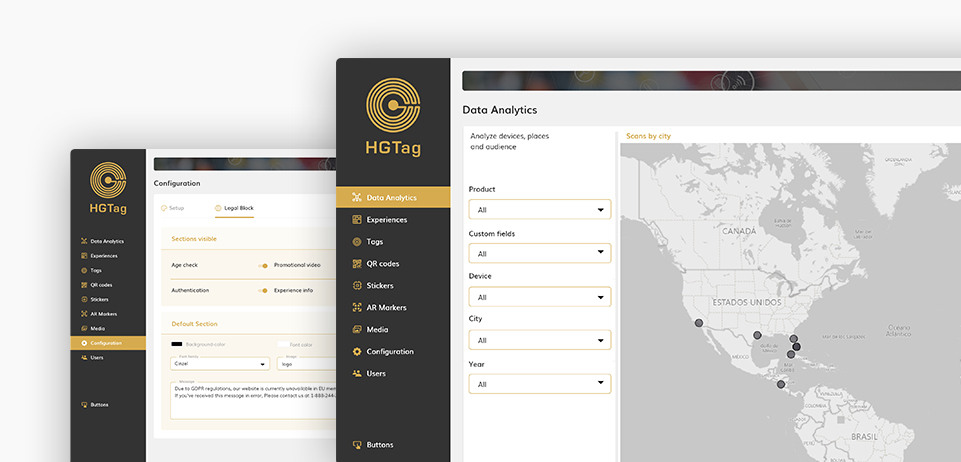
The Configuration section allows you to select the images/logos for the home and side menu, as well as configure the legal block.
Documentation
About the platform sections
and functionalities.
Users
The Users section allows you to manage the platform users: shows/edit the existing users, add new users an delete users.

Media Library
The Media Library section shows a gallery of all the images available in the environment, to be able to select them later from an Experience or Sticker.

Experiences
The Experiences section allows you to manage the platform experiences: shows/edit, add and delete experiences.

Multi Languages
Thre Multi Languages sections allows you to manage all multi-language experiences: show, add/edit and delete.

HTML Templates
The HTML Templates section allows you to manage the different HTML templates: display/edit, add and delete templates.
Stickers
The Stickers section allows you to manage the platform’s tags: display/edit, add and delete tags.


QR Codes
The QR Codes section allows you to manage the platform QR COdes: shows/edit the existing QR Codes, add and delete QR Codes.
AR Markers
This section is only available for Advanced or Premium plans. You can upload images of the markers which launch, an Augmented Reality experience.
Products
Information for this functionality is not yet available. We are working on it, thanks.
Data Analytics
Information for this functionality is not yet available. We are working on it, thanks.
How can we help
If you have more questions you can access the different Tutorials available in this help, the Documentation or our FAQS.