

New functionality Ratings in Experiences
A new Pop-up functionality has been added to the Experience template Custom Page. Users can now rate certain characteristics of one, or several products.
For the configuration of the Ratings screen we must:
1. Ratings block in Options tab:
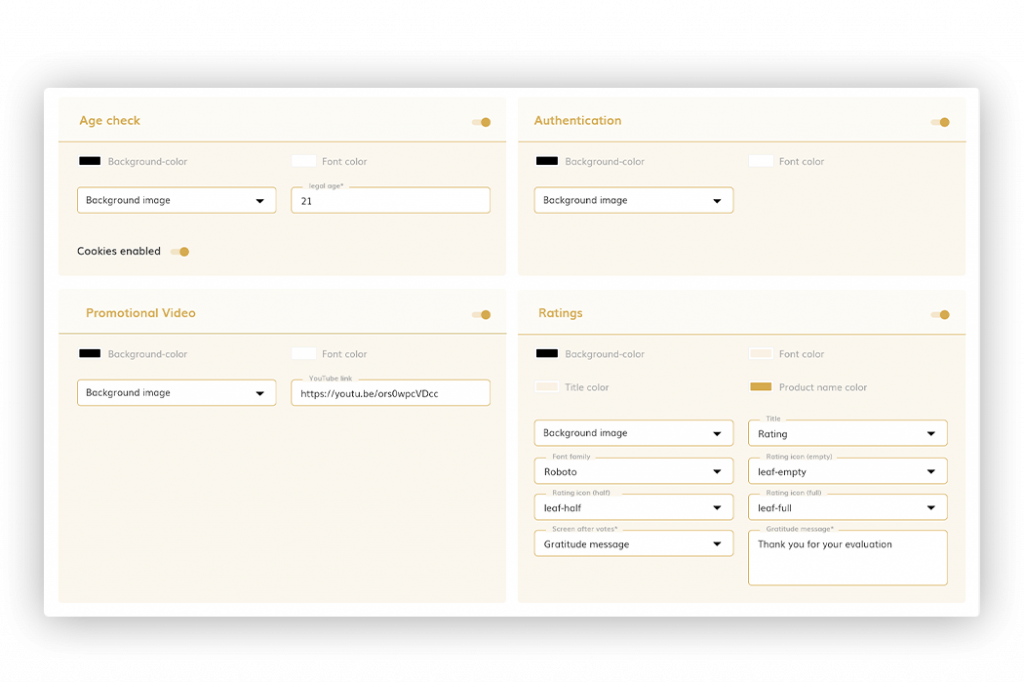
As mentioned, this Ratings function, is only available in the Custom Page template. Below you will find certain characteristics that will define what the Pop-Up review will look like: background, font and title color, product name color, background image, title and font family, rating icons and screen after votes.
To see the details of each field, you can check it in the Options tab of the Experiences section.
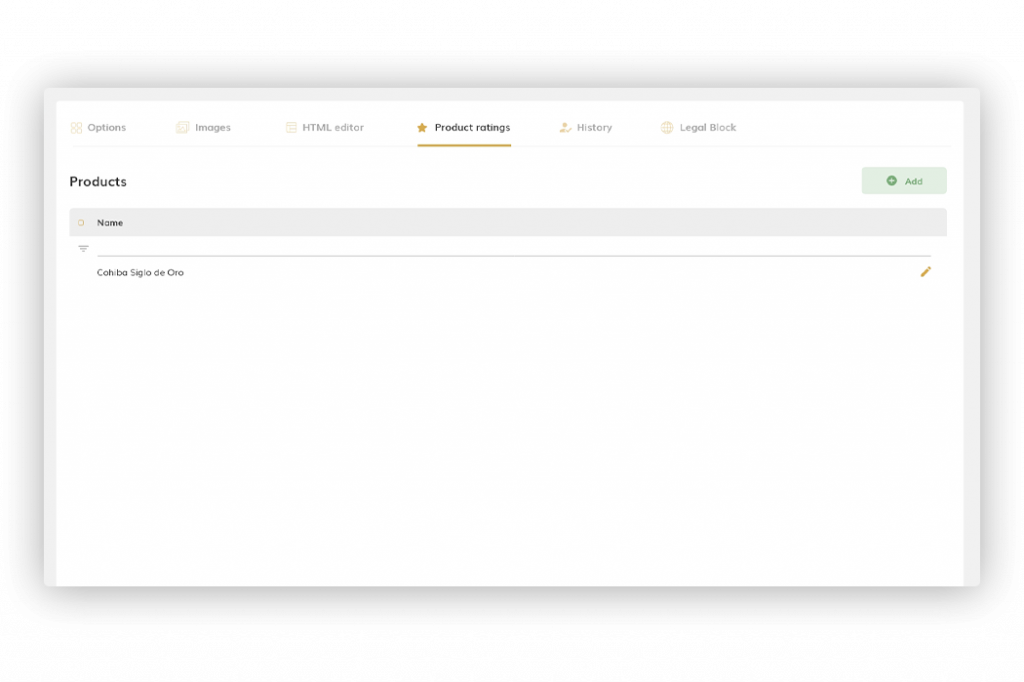
2. Product ratings tab
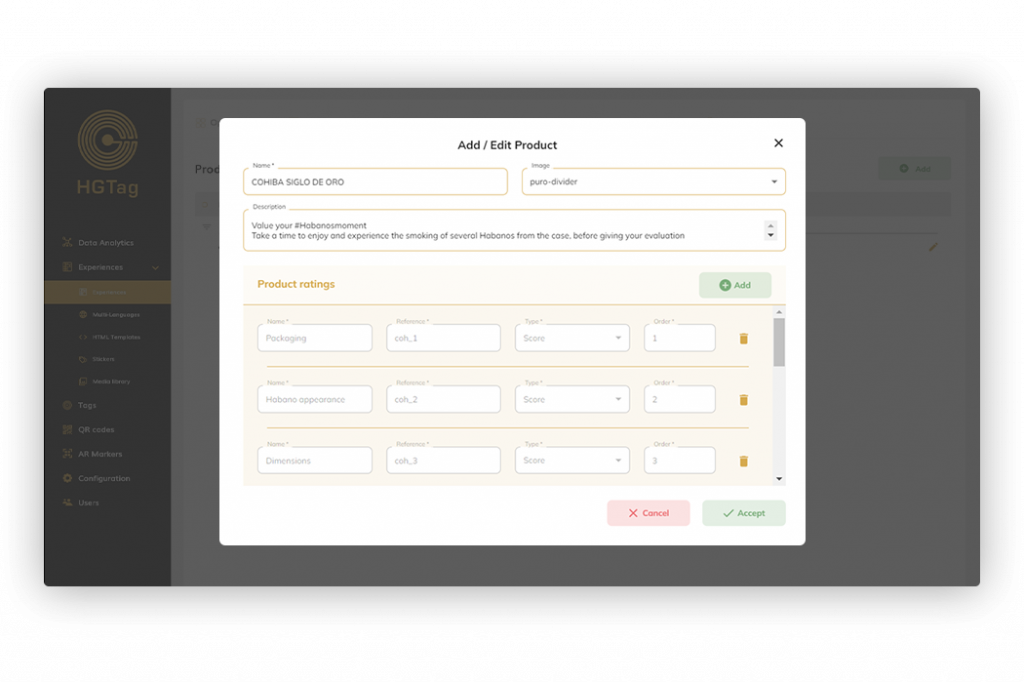
From here you can define the different products to be valued, and you can also indicate an image and a description:
And, for each of the products, which characteristics are to be evaluated
3. Component Rating Popup
In the HTML editor, a new element Rating Pop-Up is added:
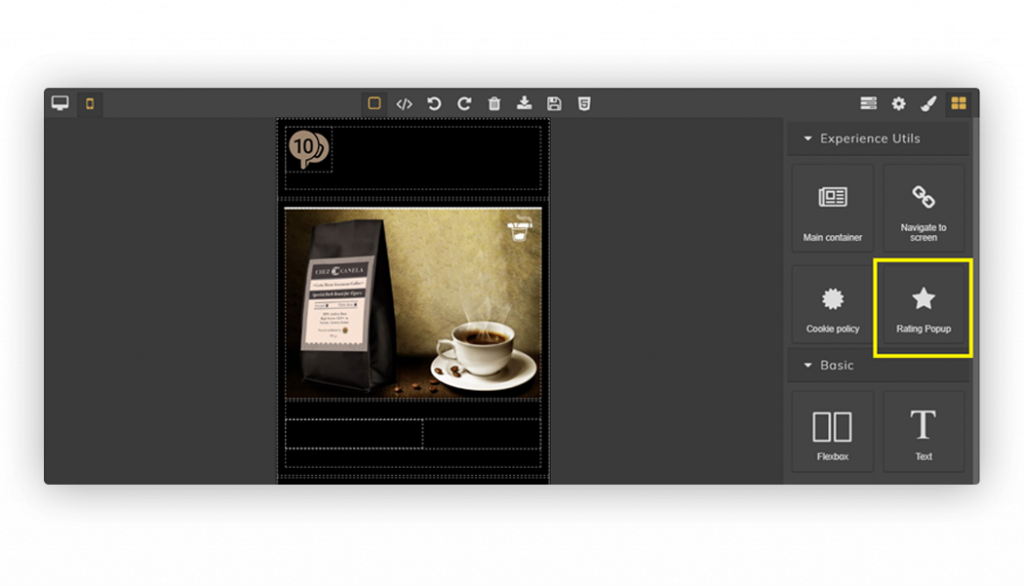
This element allows you to include in the experience a popup to assess certain characteristics of the product(s). Within this element it is recommended to include an image or a text. Clicking on it will open the Pop-Up.
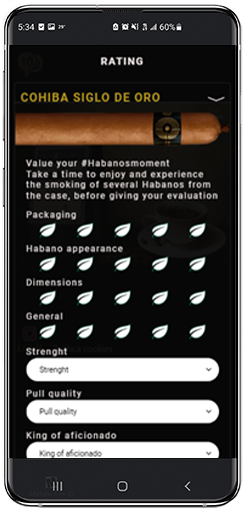
Once the different points have been configured, when scanning the experience and accessing the ratings, the popup that will be displayed will be a this style screen (taking into account the defined characteristics: colors, fonts, backgrounds, ratings … etc.):
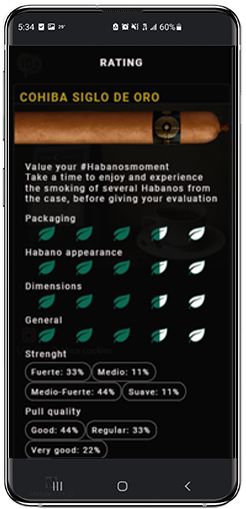
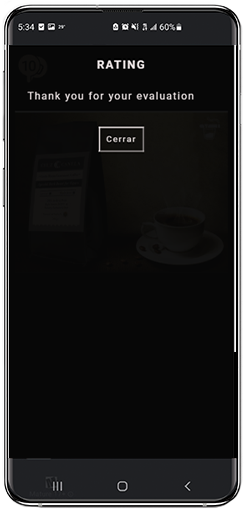
After submitting the data, the average of the ratings or the thank you screen will be displayed ( according to the selected configuration).
For more information, see the Options tab and Rating tab sections in the Experiences area.